
Solutions
We built these tools for our own needs first: contract tracking, commercial property leasing and software project scoping. They are in daily use, and every feature came from a real problem. Now we offer them to others too.
Sopimushallinta
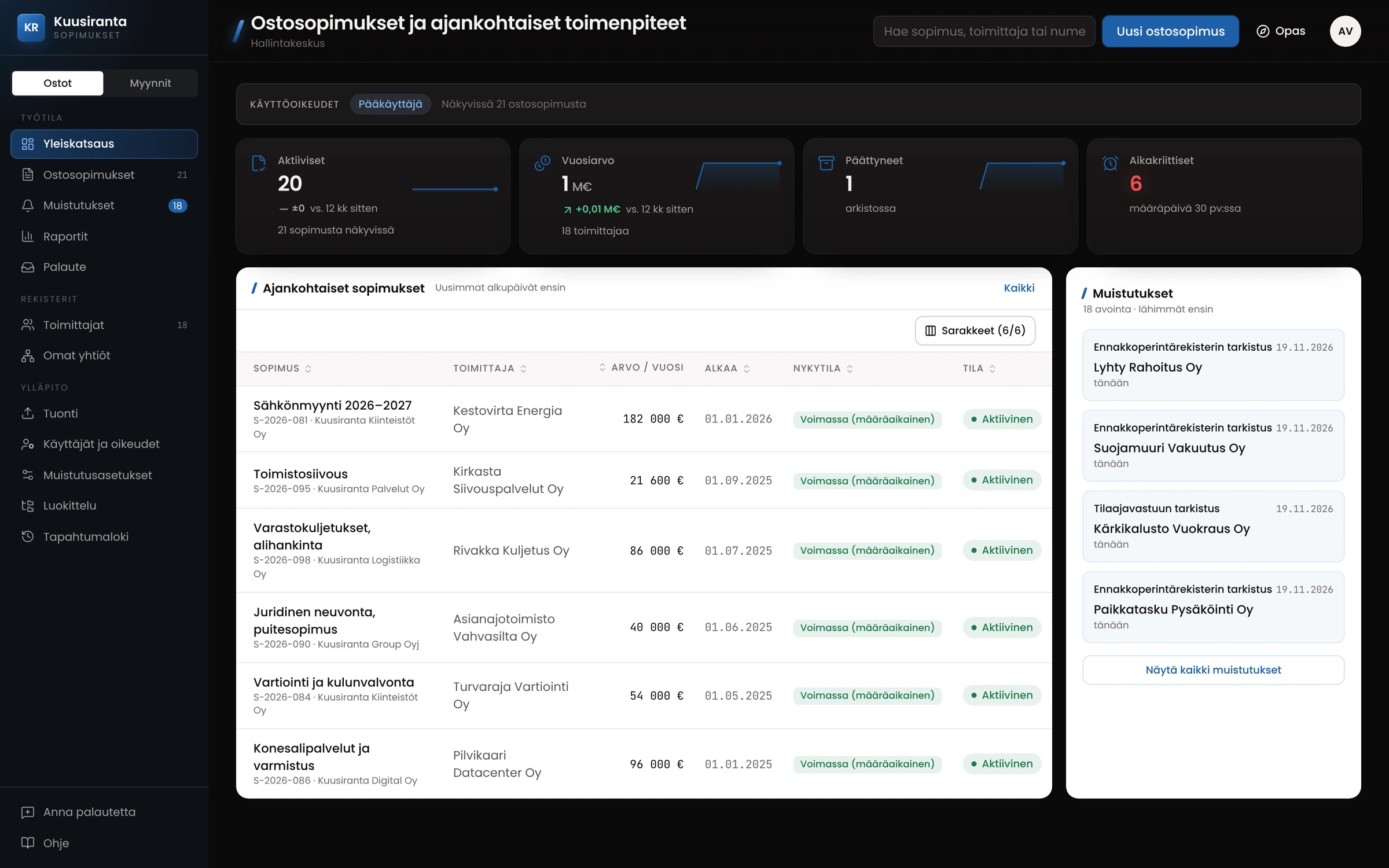
Sopimushallinta is an archive of purchase and sales contracts that works out the status of every contract every day. It reminds you in time when you need to decide whether to terminate, extend or exercise an option.
In most companies, contracts sit in folders and spreadsheets, and deadlines depend on someone's memory. A licence, an insurance policy or a maintenance contract renews automatically because nobody noticed the notice period. In Sopimushallinta, the terms are entered once. After that the system tracks the status of each contract today, which period is running and when the next deadline falls.
Works out validity itself
Works for open-ended, fixed-term, renewing and option-based contracts. The status is calculated from the terms and never needs manual updates.
Reminds and escalates
A reminder appears on a list and in the contract owner's email. If no decision is made, it goes first to the owner and then to administrators. The decision is recorded straight from the reminder.
Shows what termination costs
A calculator shows when the contract would end and how much of its value remains.
Works across a group of companies
Access rights are set company by company, separately for purchases and sales. Values and attachments of confidential contracts are visible only to those with permission. Sign-in uses the company's Microsoft accounts.
Keeps counterparties up to date
Suppliers and customers are fetched by business ID from the open data of the Finnish Patent and Registration Office (PRH). Checks in the Finnish contractor's obligations and prepayment registers are reminded once a year.
Who it is for:Corporate groups and growing companies with dozens or hundreds of contracts across several companies.
In use in the Lease Deal Group's own contract management.
View full screenshot
Salkku
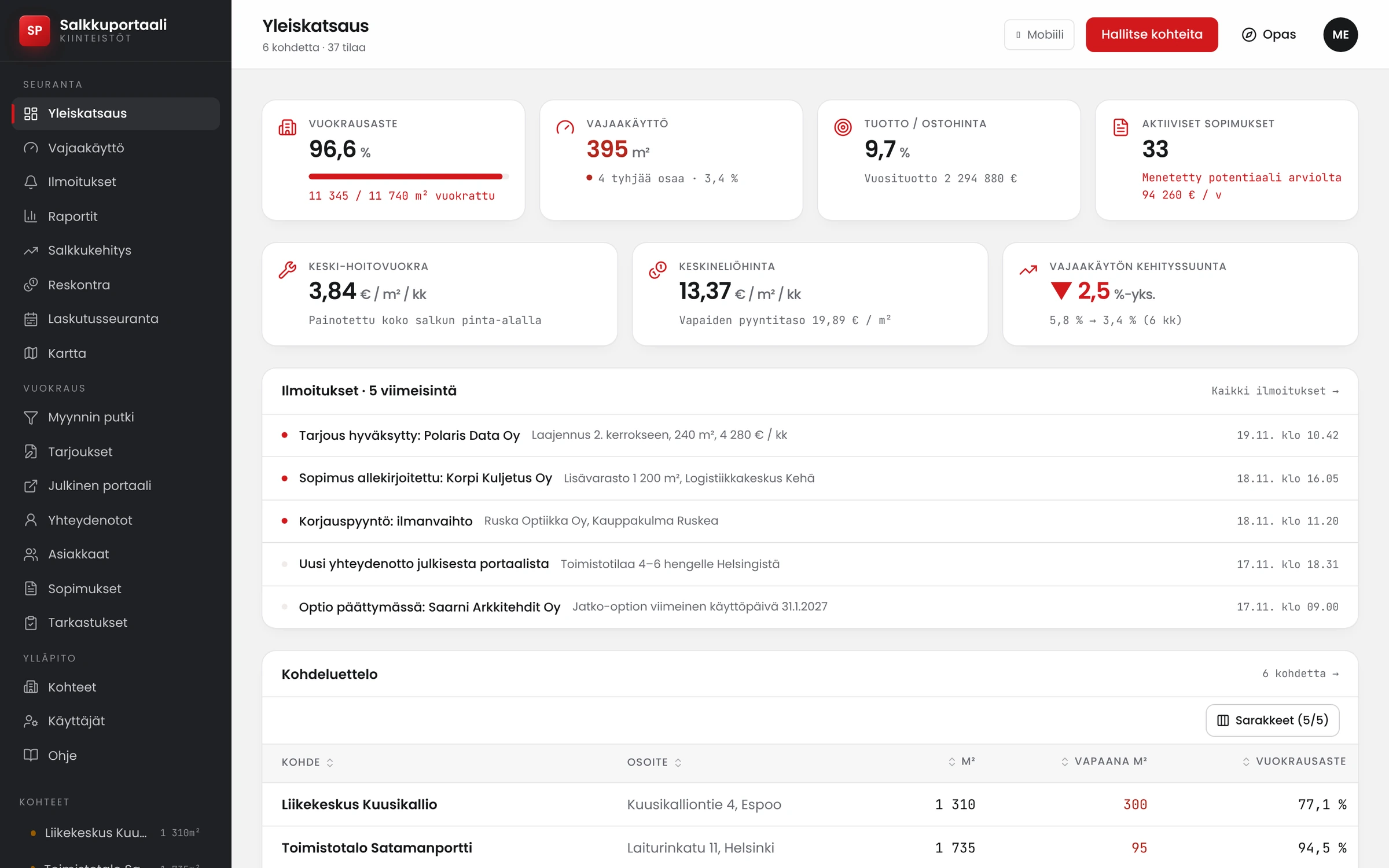
Salkku is a tool for commercial property leasing. Properties and spaces, leasing sales, contracts, inspections and financial tracking are all in one place. It shows the state of the whole property portfolio at a glance: what is let, what is becoming vacant and what stands empty.
In many property companies, leasing data lives in Excel, email and accounting. Then the cost of vacancy only becomes clear in the annual accounts. Salkku calculates occupancy, lost rent and the upkeep costs of empty space for each property. It also suggests a next step for every vacant space. A space marked vacant is published automatically to the public leasing portal. An enquiry moves through the sales pipeline into an offer and a contract without anyone retyping the data.
Shows the state of the portfolio
Properties appear on a list and on a map, coloured by leasing status: green is let, yellow is becoming vacant and red is empty. Key figures include occupancy rate, yield on purchase price and the monthly trend of vacancy.
Publishes vacant spaces
In the public portal, vacant premises appear with photos, and tenants can search by city, size and rent. Enquiries are saved straight into the system, and internal data is never shown outside.
Takes a deal from lead to contract
The sales pipeline shows deals by stage. Offers are made with a rent breakdown and sent to the customer as PDF or Word on your own template. The offer details carry over to the contract, already filled in.
Handles contracts and rent reviews
Index terms, extension options and annual increases can be recorded in the contract. Salkku reminds you of the review month, but rent is never changed without approval.
Does inspections on site
Handover and return inspections are done on a phone with photos, even without a network connection. Both parties sign the report, which is saved as a PDF.
Salkku also tracks finances: each property gets a budget and actuals by cost type, and customer data, balances and invoices update from Microsoft Dynamics 365 Business Central. Existing data is imported from Excel, and an in-app guide walks you through setup step by step.
Who it is for:Property investors and companies that lease commercial space in several properties and want vacancy and leasing sales in one view.
View full screenshot
ReqForge
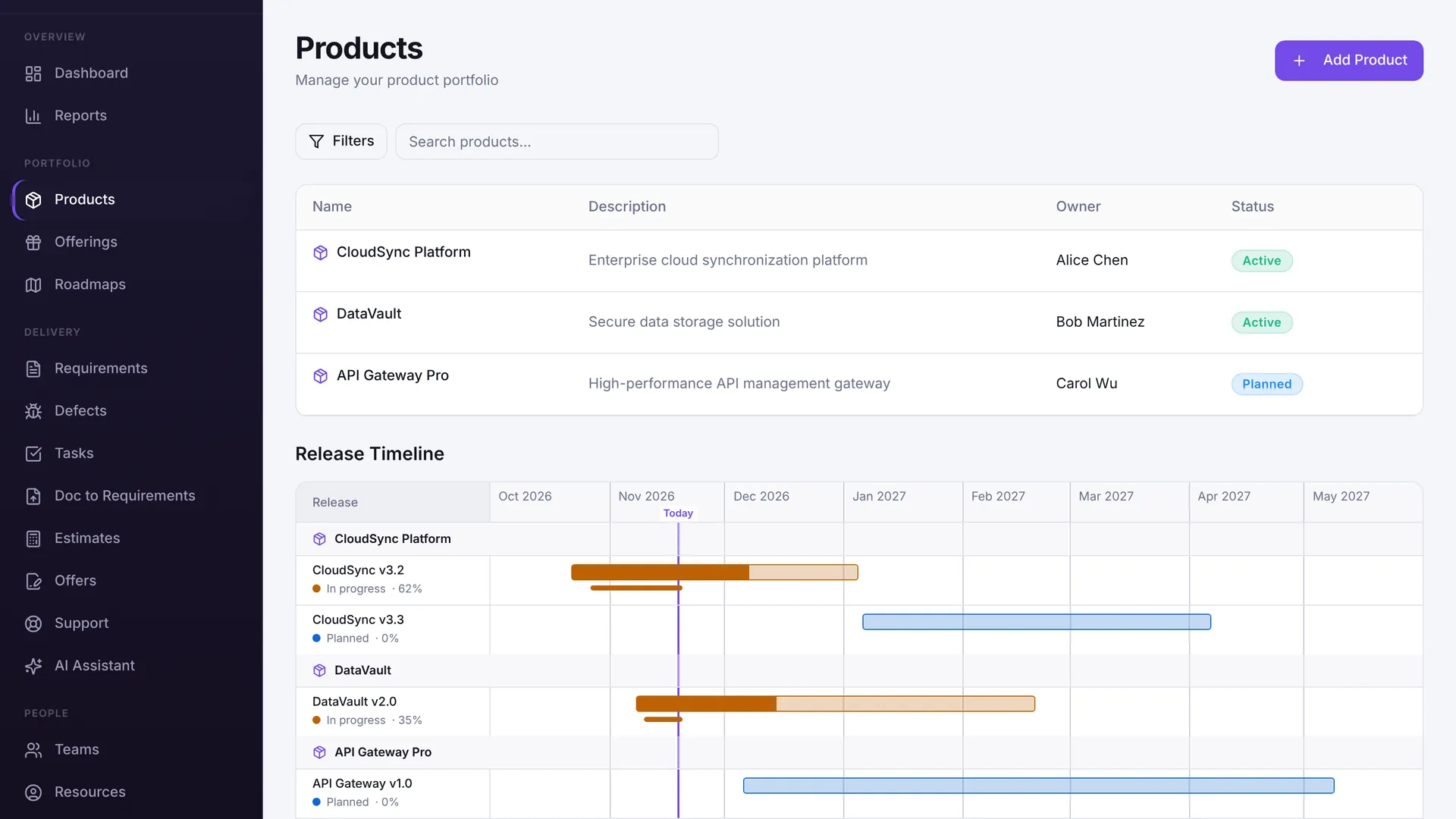
ReqForge is a requirements management tool for software companies and product teams. You upload a customer's specification or existing code, and AI breaks it down into requirements and tasks. The same tool also handles the roadmap, sprints and bugs.
A specification often arrives as a half-finished Word file. The gaps are noticed only after the quote has gone out or development has started. ReqForge tells you straight away how complete the specification is and asks for what is still needed to build or price the work. The answers can be sent to the customer and the analysis run again. When the specification is complete enough, the requirements move straight to the backlog, and each one shows where in the original document it came from.
Turns a document into requirements
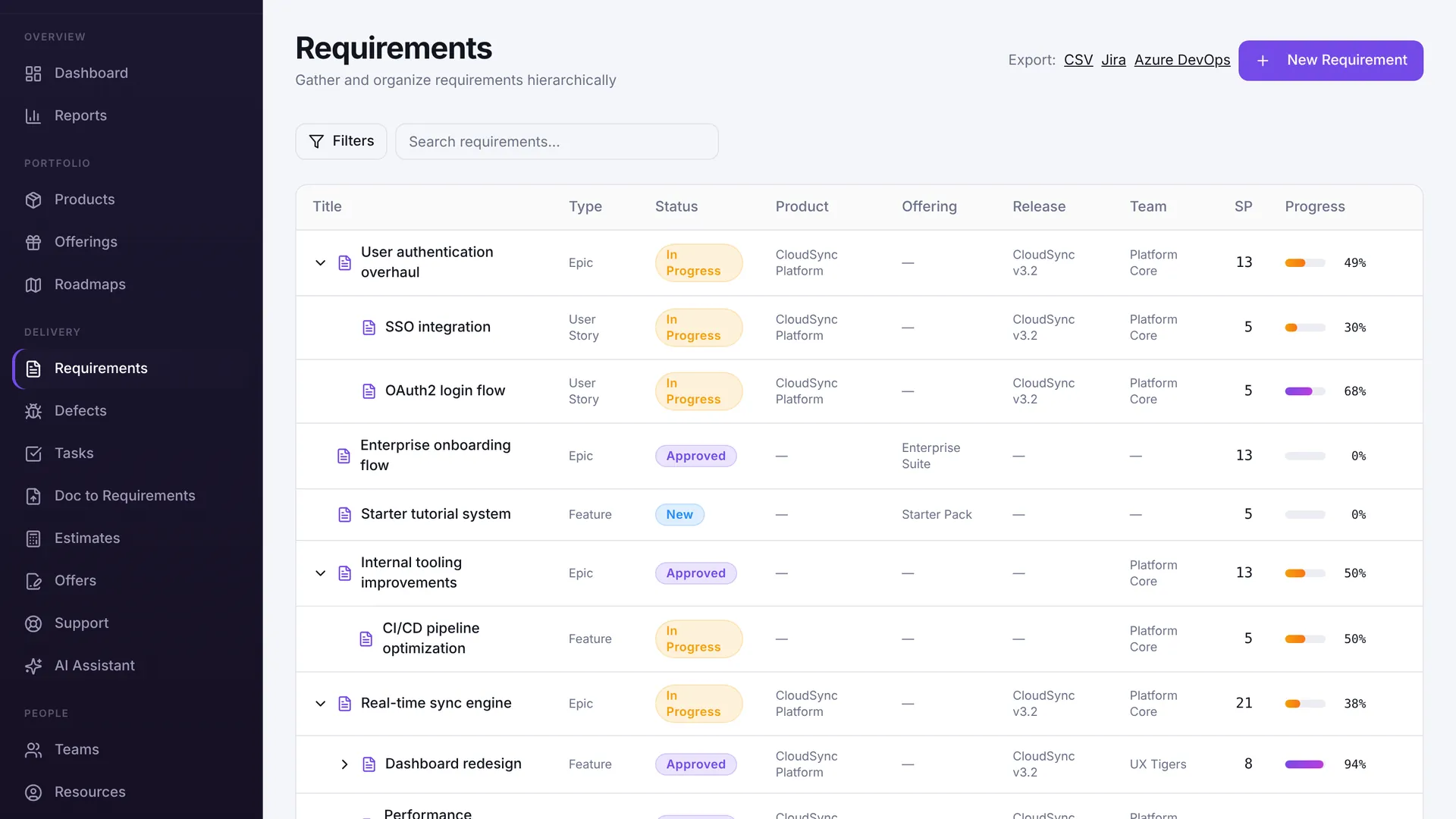
Word, PDF and Markdown all work as a source. AI proposes a requirement tree with acceptance criteria, priorities and risks. Nothing is saved until you approve the proposal.
Reads existing code
The tool identifies structure, dependencies and tests in the code and reports security findings. The code is never run, and secrets are never sent to the AI.
Plans in plain language
You can write, for example, “MVP for the field app by mid-December, with sync and work orders”. The assistant proposes releases with dates and the requirements.
Shows the roadmap and progress
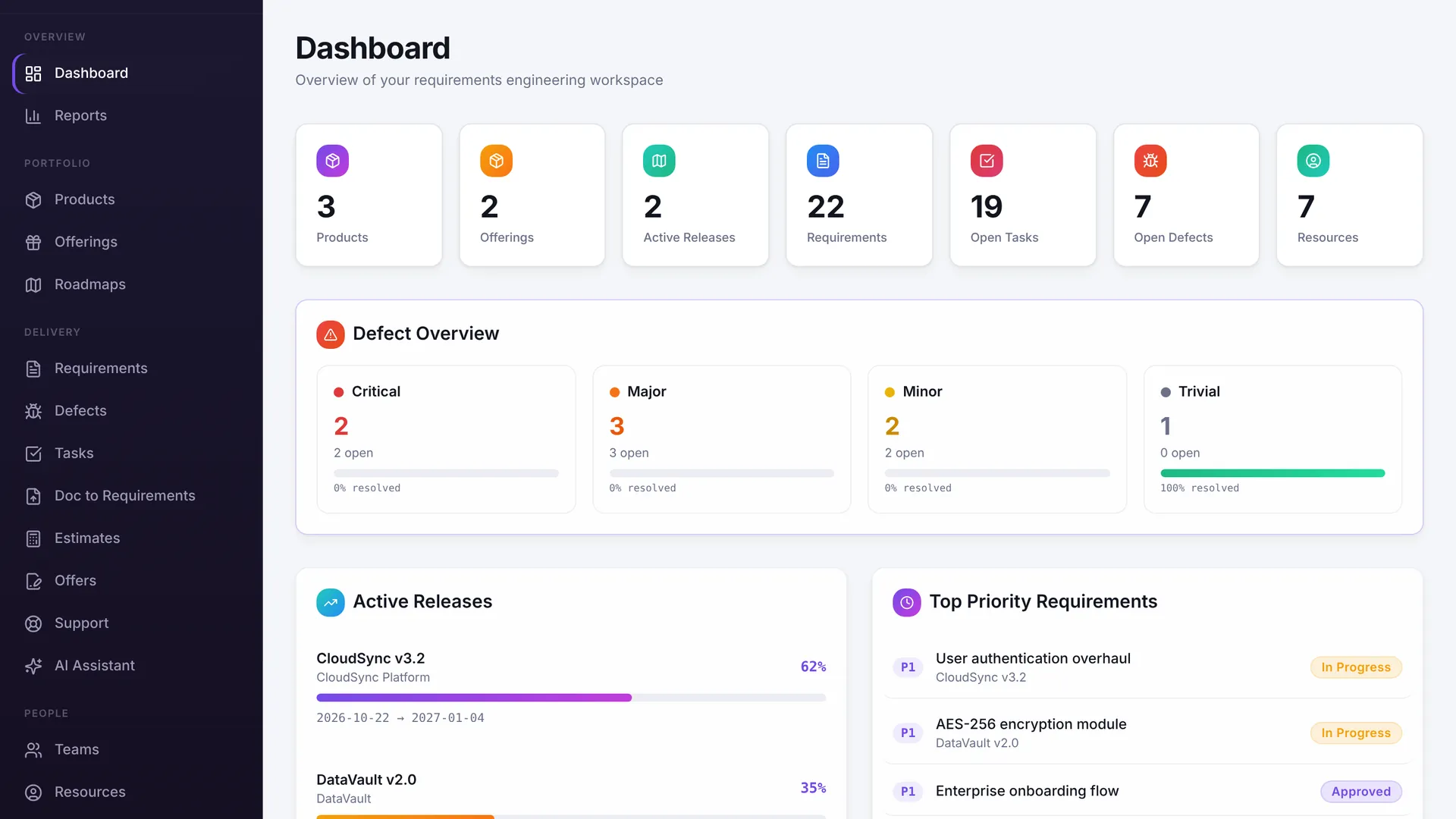
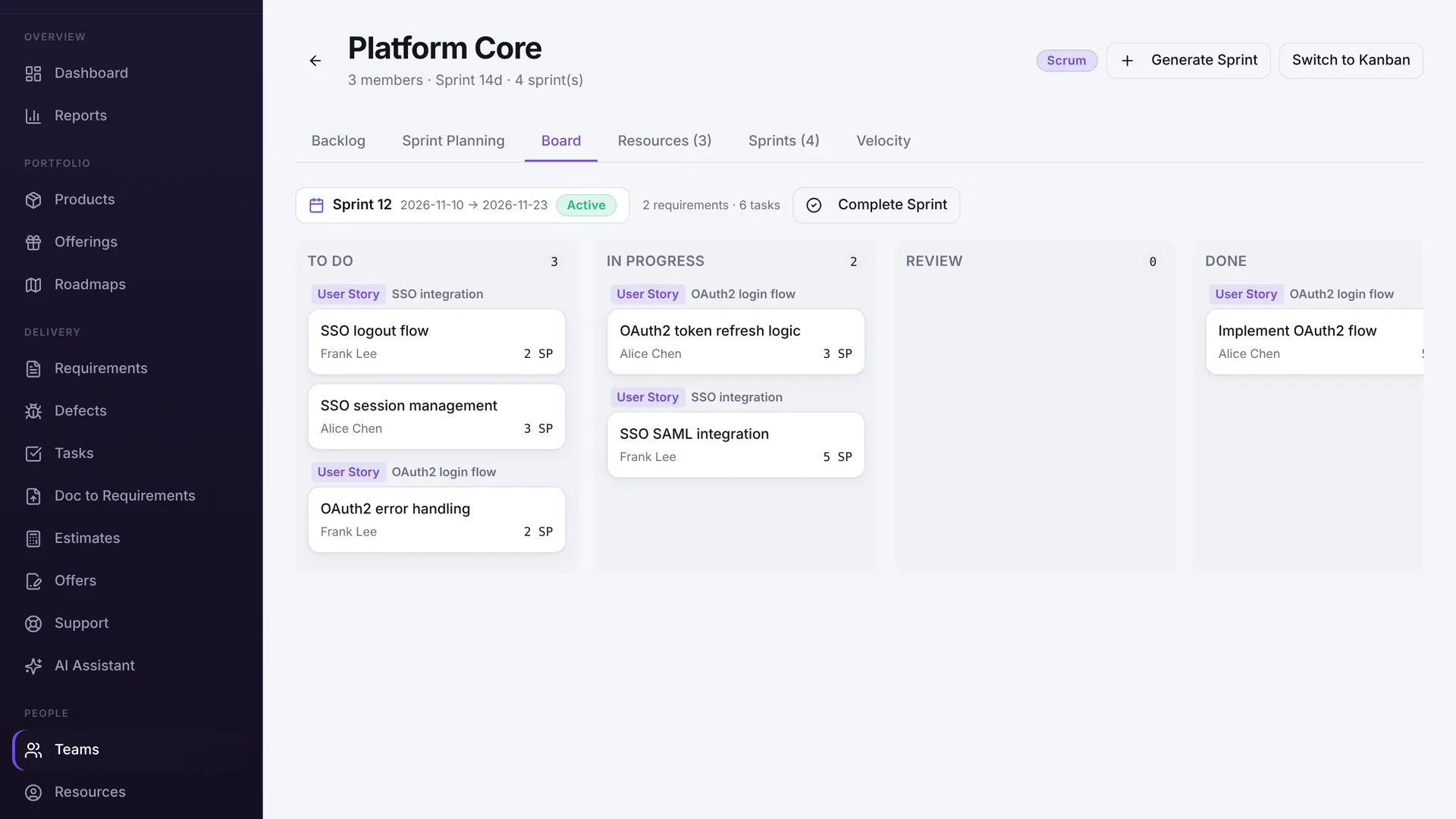
Releases appear on a timeline where planned and actual dates can be compared. The team gets sprint planning and a board, and completion is calculated automatically from tasks up to requirements.
Keeps bugs and requirements together
Bugs are prioritised by severity. Every requirement and bug gets a permanent number, so you can tell the customer what became of their request.
ReqForge adapts to your way of working: the requirement hierarchy, custom fields and rules are defined in settings, and reports export as PDF.
Who it is for:Software companies, consultancies and product teams that turn customer needs into quotes and deliveries.
View full screenshot
Solutions
Tell us what you are dealing with. Together we can see whether one of these tools fits.
Business ID 2872214-4 · Helsinki: Niittyläntie 5 · Tampere: Kehräsaari 5 · P.O. Box 20, 00621 Helsinki+358 50 408 8470info@leasedealit.fi